A 30-book reading list, matched to the right publisher and put in the cart
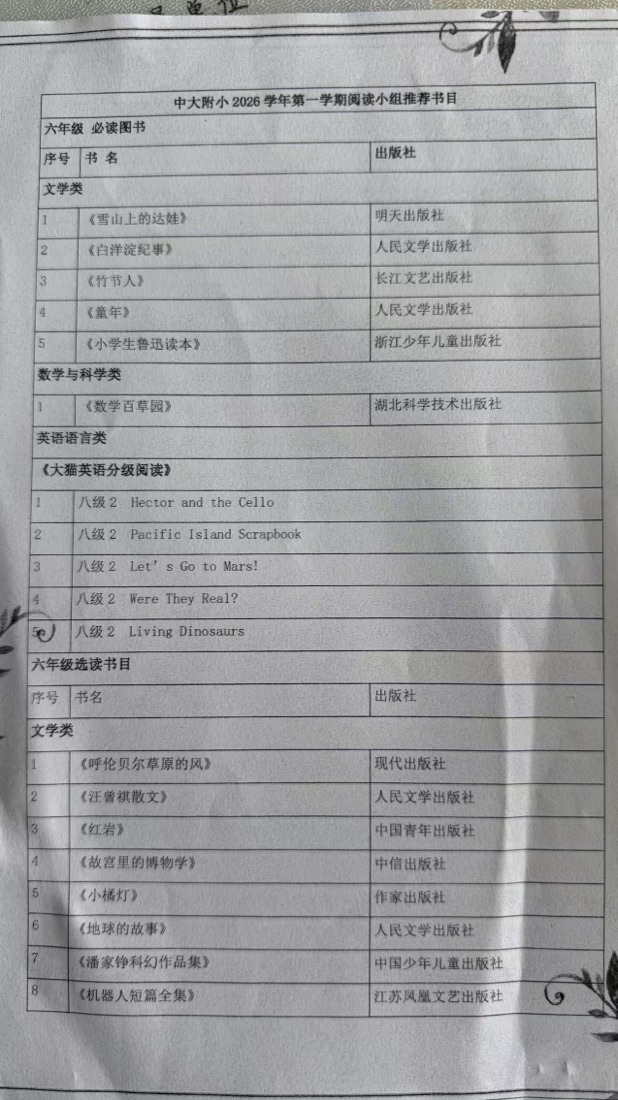
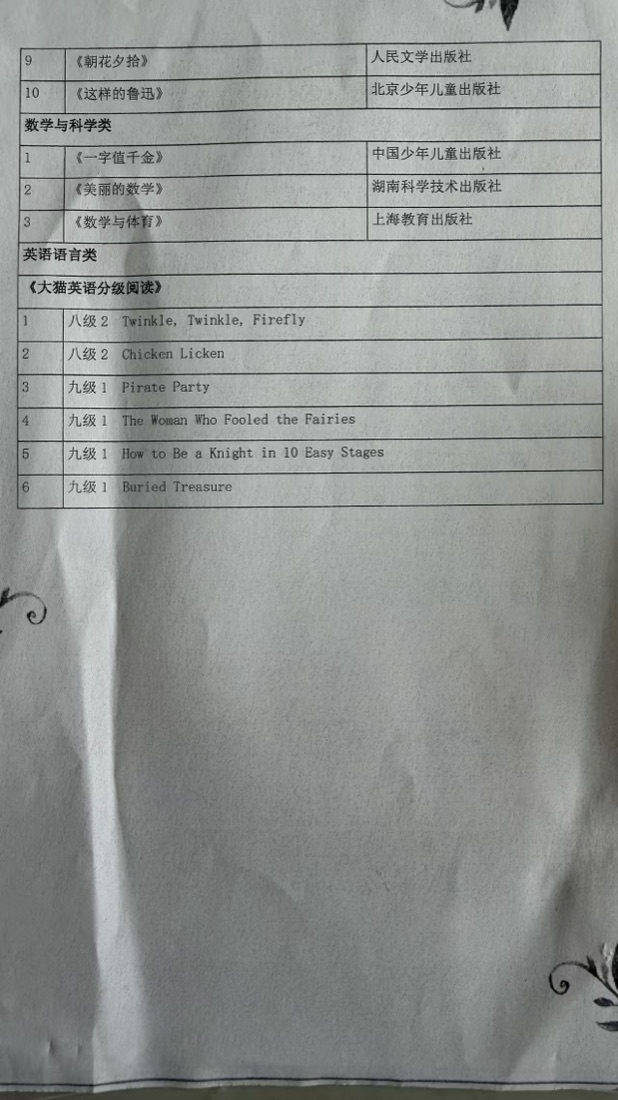
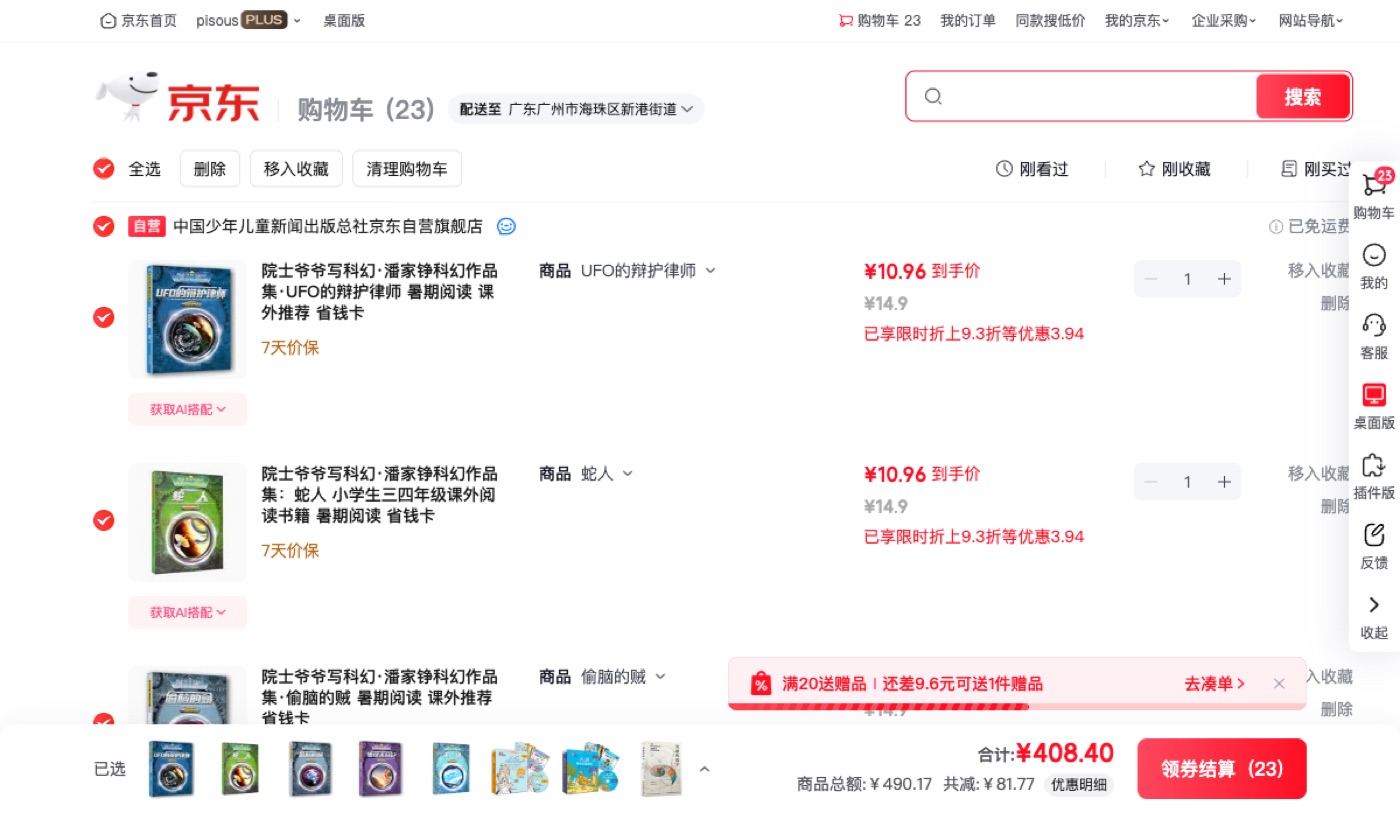
Given two photos of a school reading list, Xiaohe searched JD for all 30 titles, matched each one to the edition from the publisher the list named, filled the cart with 23 items, and removed the two it had picked wrong.
Watch the run
1:00 · silent screen capture
From two photos to a full cart
The task
Two photos of a school reading list arrived with a one-line ask: find these books on JD and put them in the cart, and say so if a login is needed. The list turned out to hold 30 titles across three sections — required reading, optional reading, and a graded English series — with a publisher named on every row.
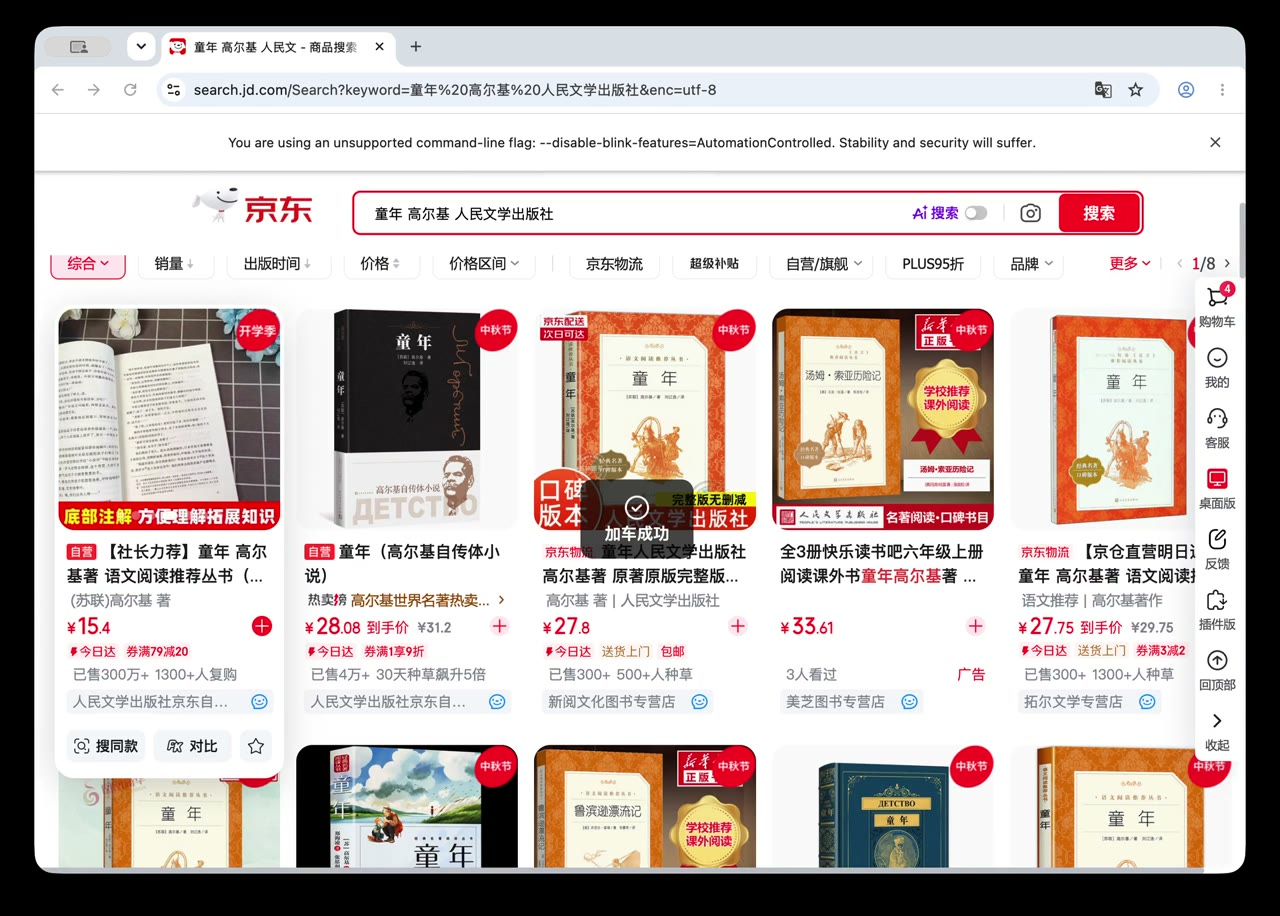
The cart redirected straight to the JD login page, so the run stopped there and asked. The user scanned the QR code; everything after that used that session. Each title was then searched on JD and ranked by three rules: the publisher named on the list, self-operated (自营) listings first, and an exact title match ahead of lookalikes.
Two things needed catching. JD’s redesigned search page renders its add-to-cart control as an empty 20×20 icon button — no text, no label — so the first attempt silently matched nothing. And two picks were wrong: a three-book 鲁迅 box set instead of the single volume, and 汪曾祺小说散文精选 instead of 汪曾祺散文. Both were pulled from the cart and the right single volumes put back.
Two titles could not be bought new. The list names 《潘家铮科幻作品集》; JD sells it volume by volume — six in all — and the sixth, 时间调节仪, exists only as secondhand stock. 《数学与体育》 from 上海教育出版社 has no new copy on JD at all, an ISBN lookup included. Both were reported rather than papered over with a used copy.
How Xiaohe did it
1. Read the list
A vision model turns the two photos into 30 titles, each paired with the publisher printed on the same row.
2. Settle the login
The cart redirects to the login page, so the run pauses and asks the user to scan the QR code before touching anything else.
3. Read the page
JD’s search page has no text on its add-to-cart control — it is a bare 20×20 icon button, found by class rather than by label.
4. Match each book
Rank every result by publisher, then self-operated first, then exact title match ahead of lookalikes; add the best candidate to the cart.
5. Audit the cart
Dump the whole cart and re-read it against the list — that is how the box set and the near-miss 汪曾祺 volume were caught and removed.
6. Complete the series
Sweep the search results to enumerate the six volumes of 潘家铮科幻作品集, then buy the five that still have new stock.
Skills used
- playwright-cli
- Vision model · reading the list photos
Deliverables
More works
Real tasks, from the terminal to a finished document.